How to Choose the Best Laptop for Work and Play is your essential guide to finding the perfect computing companion that caters to both productivity and entertainment. In a world where our laptops serve as both workstations and gateways to adventure, knowing what to look for is crucial. From powerful processors to stunning displays, we’ll unveil the secrets to selecting a laptop that excels in every aspect of your life.
With an array of specifications, battery life considerations, and design features to explore, this guide will help you navigate the complexities of laptop shopping. Whether you’re gaming, multitasking, or enjoying media, each section will provide you with the insights needed to make an informed decision. Get ready to discover the ideal blend of functionality and fun!
Choosing the Right Specifications
When it comes to selecting a laptop for both work and play, understanding the specifications is crucial. The right specs ensure that your device can seamlessly handle demanding tasks, from graphic design to gaming. Below are the essential specifications to consider.
Essential Specifications Needed for Work and Play
Selecting the right specifications can significantly enhance your productivity and gaming experience. Consider the following factors:
- Processor Type: Choose between Intel and AMD processors. Intel’s Core i5 and i7 are great for multitasking, while AMD’s Ryzen series is known for excellent performance in gaming.
- RAM Size: A minimum of 8GB is recommended for multitasking, while 16GB or more is ideal for heavy applications and gaming.
- Graphics Capabilities: Look for dedicated GPUs like NVIDIA GTX or RTX series for superior graphics performance in gaming and multimedia tasks.
Battery Life Considerations
Battery life is a critical aspect to consider, especially for mobile professionals and gamers who enjoy long sessions without interruptions. Understanding how to choose laptops with optimal battery performance can make a significant difference.
Factors Affecting Battery Life
Several factors influence a laptop’s battery life, including screen brightness, running applications, and hardware specifications. Here are some tips to help you select a laptop with a strong battery:
- Opt for Energy-Efficient Processors: Look for laptops with processors designed for low power consumption, such as Intel’s U-series.
- Battery Size: Larger batteries (measured in Wh) generally provide longer battery life.
- Display Technology: OLED displays may consume more power; consider IPS panels for a good balance of quality and battery longevity.
Display Quality and Size: How To Choose The Best Laptop For Work And Play
The display is one of the most important features of a laptop, affecting both work productivity and gaming enjoyment. The right screen can enhance your overall experience significantly.
Impact of Screen Size on Productivity and Gaming
Screen size can influence how efficiently you work and how immersive your gaming experience is:
- Screen Size: A larger screen (15 inches or more) is better for multitasking, while a 13-inch screen is more portable.
- Resolution: Opt for at least Full HD (1920×1080) for crisp visuals, especially for design work and gaming.
- Touchscreen vs. Non-Touchscreen: Touchscreens can enhance interactivity for design applications, while non-touch displays are typically lighter and easier to use for traditional tasks.
Portability and Design
Portability is a key consideration if you frequently travel for work or leisure. Understanding the design aspects can help you find a laptop that suits your lifestyle.
Importance of Weight and Size in Relation to Portability
The weight and size of a laptop directly affect its portability. Here’s what to consider:
- Weight: Aim for a laptop under 4 pounds for easy transport.
- Size: A slim profile makes it easier to fit into bags, especially when traveling.
- Usability Features: Look for ergonomic keyboard layouts and sturdy build quality for improved comfort during extended use.
Storage Options
The type and capacity of storage in a laptop can greatly influence its performance, particularly for work-related tasks and gaming.
Comparison of Storage Types
Understanding the differences between storage types helps in making informed decisions:
- HDD vs. SSD: SSDs are faster and more reliable than traditional HDDs, offering quick boot times and faster file transfers.
- Storage Capacity: A minimum of 256GB SSD is recommended for general use, while gamers might need 1TB or more for large game libraries.
- Usage Patterns: Analyze your needs; if you store many files or games, favor larger capacities.
Connectivity and Ports
Connectivity options are vital for productivity and multimedia usage. The right ports can enhance your laptop’s functionality.
Essential Ports Needed for Work, How to Choose the Best Laptop for Work and Play
Consider the following essential connectivity options:
- USB Ports: Ensure multiple USB ports, including USB-C for modern peripherals.
- HDMI Port: Necessary for connecting to external displays and projectors.
- Ethernet Port: Important for stable internet connections, especially in professional settings.
Price vs. Performance
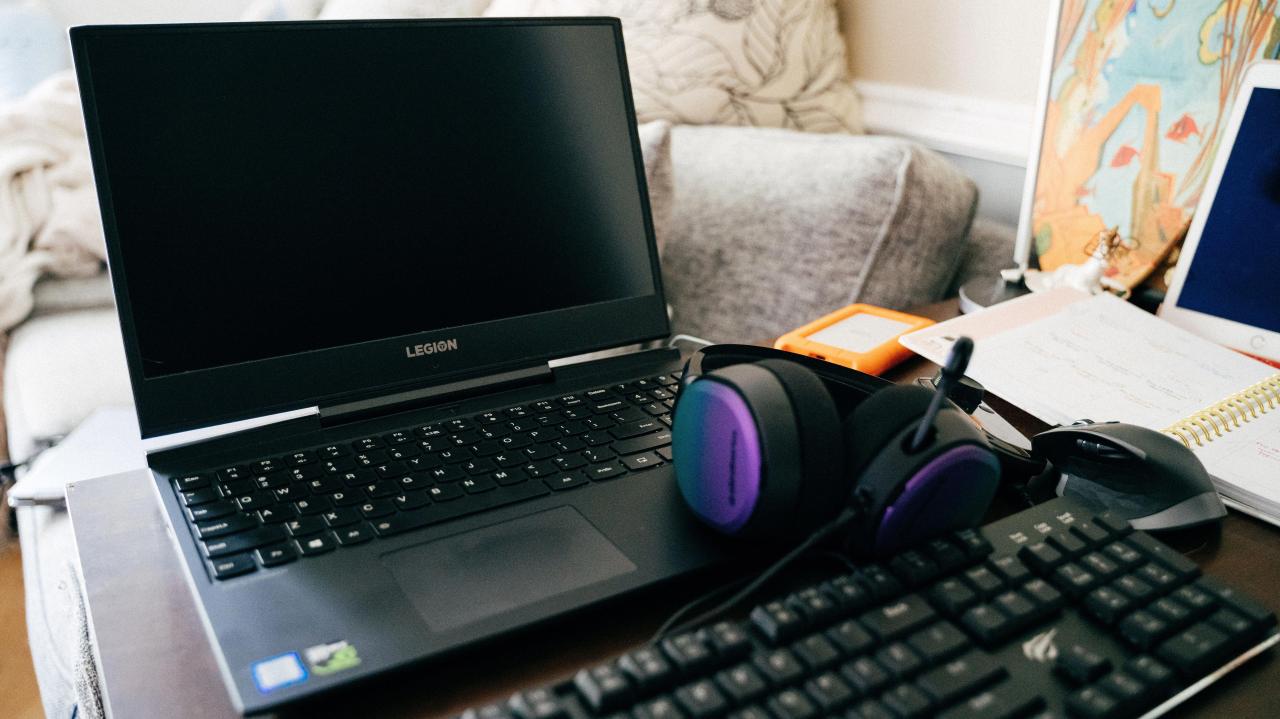
Finding a laptop that balances performance with budget is essential for achieving both work efficiency and gaming enjoyment.
Setting a Budget that Balances Performance and Features
Establishing a budget helps you make informed choices while avoiding overspending:
- Affordable vs. High-End: Determine the trade-offs; high-end laptops offer better specs but at a higher cost.
- Examples: Mid-range laptops like the Dell Inspiron and ASUS VivoBook provide solid performance for both work and gaming.
- Performance Indicators: Look for benchmark scores to gauge performance before purchasing.
Brand and Warranty Considerations
The brand and warranty of a laptop can significantly impact your experience and peace of mind.
Comparison of Different Laptop Brands
Researching brands can help you choose a reliable laptop:
- Brand Reputation: Brands like Lenovo, Dell, and HP are known for their reliability and customer service.
- Warranty Options: Look for laptops offering extended warranties and solid customer support services.
- User Reviews: Reading user feedback can provide insights into real-world performance and reliability.